
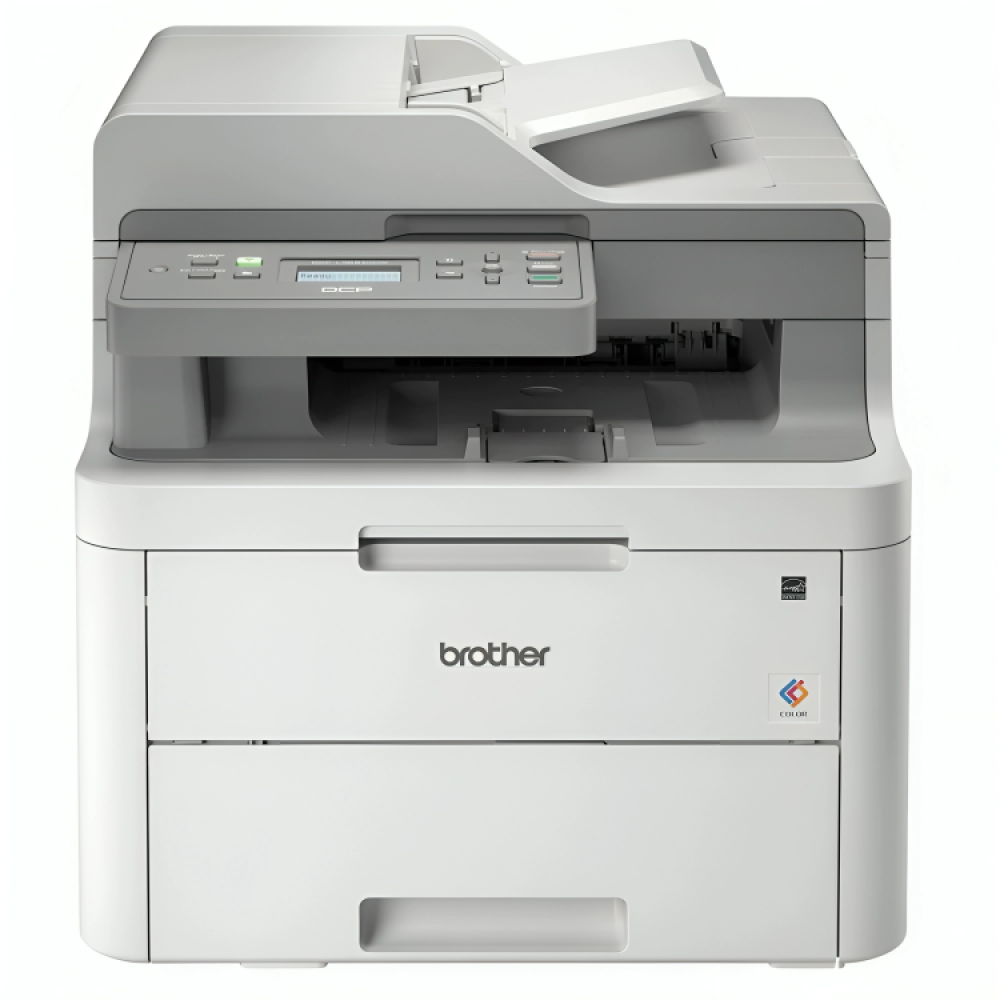

The best scanner is what many are looking for! Are you tired of accumulating papers and documents? At "Amwaj Al-Bahr" store, we provide you with the best scanner to organize your files and digitize your photos easily and quickly!
We have a wide variety of high-quality scanners to suit all needs, whether you are a student, employee, or business owner.
With us you will find the best types of scanners at reasonable prices and with great features that guarantee you accurate and professional digital copies every time.
Keep reading to learn about the best types of scanners in our store and how you can choose the most suitable device for your needs. With "Sea Waves", you will take a big step towards an organized and efficient digital world!

What is a scanner and how does it work?
First, before getting to know the best scanner, we will introduce you to this amazing device. Scanners vary according to your needs, and there are many types available in the market today.
A scanner works by converting paper documents and images into digital files by scanning them using advanced technologies that rely on light sources, lenses and sensors.
When a paper or image is placed on the glass of a scanner, the document is illuminated and reflected off a series of lenses and mirrors before reaching a charge-coupled device (CCD) or a touch-sensitive image sensor (CIS).
These technologies allow for obtaining accurate and clear copies of documents.
Why do you need the best scanner?
You need the best scanner, there's no question about it, because these devices have become essential tools in daily office work, and at home as well!
The best types of scanners contribute to facilitating the process of managing and storing documents digitally, thus saving you time and effort.
Whether you need to scan official documents or family photos, choosing the right scanner plays an important role in improving productivity and reducing clutter.
How does a scanner help in organizing and speeding up work?
Having the best scanner is not just a luxury; this device will greatly help you organize your work and accomplish tasks quickly.
- Saving time and effort
One of the main benefits of using the best scanner is its ability to save time and effort, as you can quickly scan paper documents and convert them into digital files that can be easily accessed via computer or smartphone.
For example, a modern high-speed scanner can scan dozens of pages in just a few minutes thanks to two-sided scanning technologies and automatic paper feeders, saving hours of manual effort.
- Boost productivity and reduce clutter
When you convert your paper documents into digital files using a fast scanner, you can organize and securely store them on your computer or in the cloud.
This helps to reduce clutter in the office and maintain an effective management system.
Furthermore, this process makes it easier to access documents quickly when needed, increasing your daily productivity.
- Improve security and preserve documents
Digital copies are more secure than traditional paper copies, which can be damaged or lost. By using the best scanners, you can protect your documents with passwords, ensuring that unauthorized people cannot access them.
Also, any fast scanner provides a backup of files, protecting them from damage caused by accidents.
How to maintain the best scanner
To ensure your scanner performs at its best for as long as possible, here are some tips for maintaining it:
- Regular cleaning: Use a soft cloth moistened with a mild cleaning solution to clean the inner and outer wiper glass, and avoid using strong chemicals that may damage the lenses.
- Using the device correctly: Avoid placing dirty or torn documents that may damage the lenses or clog the internal components of the scanner.
- Driver updates: Make sure to update your device drivers periodically to improve performance and ensure compatibility with the latest operating systems.
- Proper storage: It is preferable to place the device in a dry place away from moisture or dust, and avoid exposing it to high temperatures.
- Periodic inspection: If you notice that your scanner is experiencing quality or speed problems, you may need to have it inspected by a qualified technician to ensure continued performance.
The best scanners in "Sea Waves"
At Amwaj Al Bahr Store, we are committed to providing the best types of scanners that meet the diverse needs of our customers, whether they are individuals looking for simple solutions for home use or companies that need professional equipment for large businesses.
Here's a detailed look at the best sea wave scanner:
Canon CanoScan LiDE 300
The Canon CanoScan LiDE 300 is one of the best scanners in its class, featuring a sleek, lightweight design and ease of use.
This device is ideal for light home and office use, and is an excellent choice for those who need to scan high-quality images and documents. It is also the best fast scanner, featuring the following:
- Scanning resolution: The scanner offers a resolution of up to 2400 x 2400 dots per inch, allowing you to obtain clear and crisp images and documents.
- Speed: The best fast scanner scans documents in as little as 10 seconds per page, making it an ideal choice for businesses that require speed.
- EZ Buttons: A fast scanner featuring four built-in EZ buttons to simplify the scanning process, including a button specifically for scanning and saving PDF files directly.
- Versatile uses: Suitable for scanning photos, payment receipts, business cards, and other paper documents.
- Connection: Relies on USB connection, which ensures low power consumption.
Kodak i3200
If you are looking for a device that offers high performance for large companies and organizations, the Kodak i3200 is the ideal choice for you.
This device is indeed the best scanner; it is designed for scanning large quantities, making it suitable for companies that deal with thousands of documents daily, and you will find it has the following features:
- Best fast scanner: Scans 50 pages per minute or 100 images per minute if you are using double-sided scanning, making it one of the fastest devices on the market.
- Automatic Feeding: A fast scanner with an automatic feeder that holds up to 250 sheets, allowing you to scan multiple documents without having to manually feed them in.
- Smart technology: Equipped with ultrasonic multi-feed detection technology, which prevents clogging and document damage, in addition to smart document protection.
- Supports multiple formats: Files can be output in TIFF, JPEG, RTF, BMP, and PDF formats, including searchable PDF files.
- Connectivity options: Supports USB 2.0 connectivity and is compatible with USB 3.0, providing superior data transfer speeds.
Brother ADS-4300N Best Scanner
The Brother ADS-4300N is considered one of the best types of advanced scanners for offices that require high performance and multiple features.
This device features advanced technologies that help improve efficiency and increase productivity, in addition to:
- Scanning resolution: Up to 1200 x 1200 dots per inch, making it a great option for scanning high-resolution documents.
- Scanning speed: It is indeed the best fast scanner, as it can scan 40 sheets per minute or 80 double-sided sheets automatically, saving time when dealing with large quantities of paper.
- Networking: The scanner supports USB 3.0 connectivity as well as wired networks, making it ideal for offices that need devices connected to a local network.
- Automatic document feeder: A fast scanner with an 80-sheet document feeder, making it easy to scan large quantities of documents without constant intervention.
HP LaserJet MFP M141A
If you are looking for a multifunction device that combines printing, scanning and copying in one device, the HP LaserJet MFP M141A is the perfect choice for you.
It features a compact, space-saving design and combines many features into one device, and also provides you with:
- Printing speed: The best fast scanner with a speed of up to 20 pages per minute, making it suitable for light office use.
- Printing and scanning resolution: Up to 600 x 600 dots per inch, so it provides high quality for both printing and scanning.
- Multiple connectivity options: It supports USB connectivity, as well as Wi-Fi wireless connectivity, allowing you to easily print and scan from mobile devices.
- Paper management: It has a 150-sheet input tray and a 100-sheet output tray, making it suitable for small offices that need an all-in-one device.
If you want to learn more about scanners, visit the Sea Waves store now !
Scanner image defects
Now that we have learned about the best scanners, it is important to be aware of the challenges you may face or the known problems with those scanners, which are as follows:
- Maintenance costs: Some devices may require periodic maintenance, which adds extra costs.
- Scanning quality: Scanning quality varies depending on the type of device; handheld scanners may be less accurate than flatbed scanners.
- Device size: Finally, some large devices may not be suitable for places with limited space.
conclusion
If you are looking for the best scanner that meets your needs with high quality and a reasonable price, then Sea Waves is the perfect way for you.
With a wide variety of top-quality, reliable, and modern scanners available, you can find one that suits your needs, whether for personal or professional use.
Feel free to visit Sea Waves Store is now open for you to explore more about the best scanner!
For more information that may be useful to you from sea waves
- Laser printing inks: Everything you need to know for perfect results
- Liquid inks: The art of innovation and precision in the world of printing